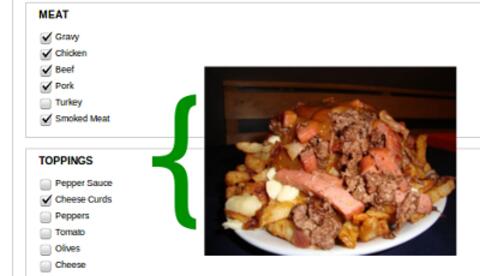

Poutine Maker: An Introduction to the Field API in Drupal (Part 2)
In part 1 of this tutorial, I covered how to make your own custom field and widget. Here I'll cover how to validate that input and format it using a custom formatter.
The power of Drupal stems from our ability to customize it. One common requirement is the need to define complex fields with custom widgets and formatters that are unavailable in core or contributed modules. This allows us to collect more sophisticated data from users, and define exactly how that data is presented. Drupal's Field API provides the hooks needed to make just about any field we want.
We often define custom blocks in a site-specific module. Sometimes the markup in these blocks can start building up and we realize that it's time to create a template for the block. This is a good way to keep markup out of the module code. It's also a good way to practise writing cleaner and more themer-friendly modules.
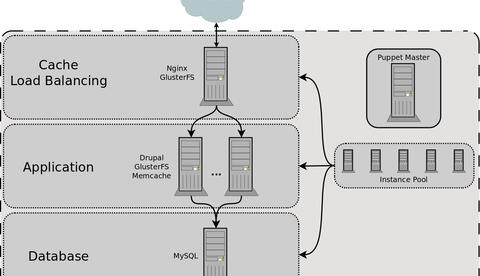
Lately, we have been involved in a project where our clients needed a site capable of serving a large number of anonymous users and a reasonable number of concurrently logged in users. In order to reach these goals, we looked to the cloud. I'll give a quick overview of our configuration using nginx, boost, apc, cacherouter, memcached, and glusterfs. This has allowed us to scale up considerably.
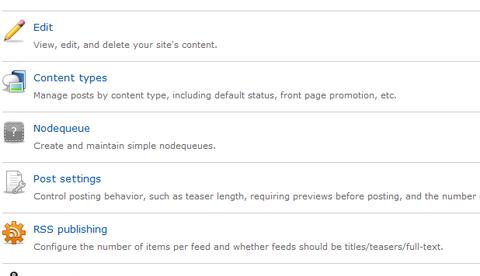
Building a comprehensive information architecture for a content-heavy website can be a challenge. Luckily, Drupal is great for rapid development and by building content types early on, it's easier to discover issues with either the content, design, or architectural decisions.
EvolveDigital is a digital summit for digital innovators: developers, designers, marketers, and strategists. Join us in Toronto March 6