
Improving Your Drupal Testing Process
Whether we like it or not, testing takes a huge amount of time. Often a third of each web development project is spent testing, but it's not usually something that gets a lot of attention.
We've been hearing a lot about responsive design and the future of the web recently. At DrupalCamp Montreal this September, Jen Simmons and Jake Strawn talked about why responsive design is taking hold. I was inspired to try out some of the techniques they talked about, and decided to convert evolvingweb.com to be more responsive.
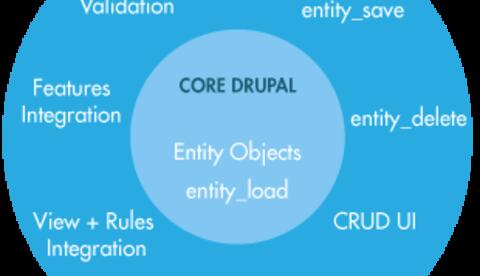
In Drupal 6, module developers often use Nodes as an all-purpose method for having objects that can be saved into the database. This hack avoids having to write a lot of boilerplate CRUD for all custom data used in your modules. Nodes in D6 are a powerful tool for this use case when combined with the flexibility of CCK's custom fields, and the simplified integration with contrib modules. However, using Nodes for every piece of specialized content means a lot of overhead; contributed modules often modify Nodes and added hooks that operated on them. This is a major performance concern, not to mention a bad architecture for unrelated data.
In our previous post, we wrote about how we use custom Redmine plugins to keep specifications up-to-date with our Redmine issues. Since we update the specifications with clients throughout a project, we need a way to keep developers in the loop. Automatically updating an issue page with the changes saves us unnecessary meetings and confusion. The most useful plugin we've been using was one that we wrote ourselves: redmine_google_docs. This plugin allows embedding of Google Spreadsheets and Google Documents in Redmine wiki pages and issues. This helps us spend more time focused on the project and less time on synchronizing documentation.
In part 1 of this tutorial, I covered how to make your own custom field and widget. Here I'll cover how to validate that input and format it using a custom formatter.
At Evolving Web, Redmine is at the core of our project management methodology. Redmine’s extensibility makes it the open source tool of choice for scoping, tracking and maintaining projects. Today, we're highlighting some of the integration that's possible between Redmine, Google Docs and Git. This piece is complementary to our post on Customizing Redmine in Agile Project Management.
At Evolving Web, we’ve been working with an agile project management methodology for some time now. Compared to the waterfall approach, we’ve found that the agile method best captures our team’s momentum and creativity during development. This translates into an involved client and a better product. By breaking our mandates into two and three week sprints, we work within a limited timeline to implement the project’s specifications. We demo our progress at the end of each sprint to affirm that we’re on the right track and that all of the client’s concerns have been addressed.
The power of Drupal stems from our ability to customize it. One common requirement is the need to define complex fields with custom widgets and formatters that are unavailable in core or contributed modules. This allows us to collect more sophisticated data from users, and define exactly how that data is presented. Drupal's Field API provides the hooks needed to make just about any field we want.
We often define custom blocks in a site-specific module. Sometimes the markup in these blocks can start building up and we realize that it's time to create a template for the block. This is a good way to keep markup out of the module code. It's also a good way to practise writing cleaner and more themer-friendly modules.
If you're building a large website in Drupal, you're likely to have a long list of views that you're using. Often, views require some custom configuration to match a given design or to provide the user with additional information. Sometimes you want to add dynamic text above or below the view, such as the number of results, or want to create a dynamic title beyond what views lets you configure through the user interface.
If you haven't noticed already, we are getting pretty excited about cloud computing at Evolving Web. Our latest deployment included 5 Rackspace Cloud servers being controlled by Puppet and provided the client with the ability to scale up and down easily depending on traffic. Scaling up involves spinning up a new server instance and configuring it for its role. But what is the best way to configure it? By hand? By scripts? By images? Well technically any of those methods will work, but I want to tell you about one you may not have heard of.
Lately, we have been involved in a project where our clients needed a site capable of serving a large number of anonymous users and a reasonable number of concurrently logged in users. In order to reach these goals, we looked to the cloud. I'll give a quick overview of our configuration using nginx, boost, apc, cacherouter, memcached, and glusterfs. This has allowed us to scale up considerably.
Recently, I've been working on the search interface for McGill University's course catalog. The University wants to allow students to browse courses at friendly URLs like:
Creating a search interface for a website with a lot of content requires providing a variety of filters. Sometimes those filters can take on a life of their own, providing hundreds of options for users to filter by. While building widgets for our Drupal/Solr projects, we looked at a couple non-Drupal examples of search interfaces for content-heavy websites.
Sometimes, we find issues with content that are not anticipated by the planning process since they don't show up by looking at sample content or discussing the major use cases of the site. By looking at real content during the data import phase, these issues can be dealt with at an early stage in the development process.