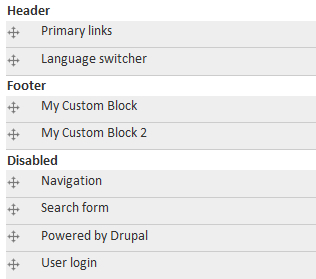
We often define custom blocks in a site-specific module. Sometimes the markup in these blocks can start building up and we realize that it's time to create a template for the block. This is a good way to keep markup out of the module code. It's also a good way to practise writing cleaner and more themer-friendly modules.
To add a template file to your module, you'll need to implement the hook_theme() function.
/*
 * Implementation of hook_theme().
 */
function mymodule_theme() {
  return array(
    'mymodule_custom_block' => array('arguments' => array(), 'template' => 'mymodule-custom-block')
  );
}
The name of the template will be mymodule-custom-block.tpl.php. You should create this template in the mymodule directory. In order to make the contents of the template appear on the site, you'll need to add it to a custom block. Below, I've implemented the hook_block function and assigned theme('mymodule_custom_block') to the content of my custom block.
/*
 * Implementation of hook_block().
 */
function mymodule_block($op = 'list', $delta = 0, $edit = array()) {
  switch ($op) {
    case 'list':
      return array(
        0 => array(
          'info' => t('Custom Block'),
        ),
     );
    case 'view':

      $subject = '';
      $content = '';

      switch ($delta) {
        case 0:
          $content = theme('mymodule_custom_block');
          $subject = t('My Custom Block');
        break;
      }

    if ($subject || $content) {
      return array(
        'subject' => $subject,
        'content' => $content,
      );
    }
    break;
  }
}
In this case, the template file itself will contain static HTML. You can also add arguments to the mymodule_custom_block function if your block is dynamic.